Looking for an OBD II wireless transmitter that works with your phone or laptop? This guide highlights five top options that balance compatibility, ease of use, and value. It’s ideal for DIY vehicle diagnostics, ongoing maintenance, or quick check-engine-light troubleshooting. The picks span iOS and Android support, Bluetooth 4.x or 5.x, and varying app ecosystems. If you need cross‑platform compatibility, focus on BLE OBD readers with broad app support and clear data access.
Summary table of chosen products:
| Product | Best For |
|---|---|
| Veepeak OBDCheck BLE Bluetooth OBD II Scanner | Android and iOS, general diagnostics, easy setup |
| OBDLink MX+ OBD2 Bluetooth Scanner | Cross‑platform (iPhone, Android, Windows), advanced apps |
| Veepeak OBDCheck BLE+ Bluetooth OBD II Scanner | Upgrade option with broader coverage |
| OBDLink LX Bluetooth 3.0 OBD2 Adapter | Android‑focused apps, automotive enthusiasts |
| Veepeak Mini Bluetooth OBD2 Scanner (Android only) | Android users seeking a compact, affordable option |
Veepeak OBDCheck BLE Bluetooth OBD II Scanner

This BLE OBD II scanner targets both iOS and Android users seeking straightforward diagnostics and reliable code reading. It supports basic live data streams and DTC (diagnostic trouble code) retrieval, making it suitable for everyday maintenance. Best for readers who want plug‑and‑play setup and broad app compatibility on mobile devices.
Who it’s best for: casual DIYers and drivers who want a simple, affordable scanner with solid iOS/Android support. Why selected: strong balance of ease of use, wireless BLE connectivity, and broad app compatibility.
Caution: Some advanced features may require specific apps or in‑app purchases; check app compatibility for your needs.
OBDLink MX+ OBD2 Bluetooth Scanner

This versatile OBD-II adapter supports iPhone, Android, and Windows, making it a flexible choice for users who work across devices. It emphasizes reliable Bluetooth connectivity and robust data access, making it well suited for more detailed diagnostics and app integration. Best for multi‑platform users who want a single tool for various devices.
Who it’s best for: tech‑savvy drivers and DIY enthusiasts who prefer cross‑platform compatibility. Why selected: broad device support and strong data capabilities in a single unit.
Caution: Some advanced features may depend on the chosen app; verify app support for your diagnostic goals.
Veepeak OBDCheck BLE+ Bluetooth OBD II Scanner

This is an enhanced BLE reader designed to cover more data channels and provide stable wireless performance. It complements users who want a slightly richer dataset without moving to a higher price tier. Best for those who need more live data streams and reliable BLE connectivity on mobile devices.
Who it’s best for: drivers who need deeper real‑time data and a smoother BLE experience. Why selected: improved data coverage compared to entry models with similar form factor.
Caution: Check that your preferred diagnostic app supports the enhanced data fields you want to monitor.
OBDLink LX Bluetooth 3.0 OBD2 Adapter

This model focuses on Android‑centric work with strong Bluetooth 3.0 connectivity and supported apps that are common in the Android ecosystem. It’s a solid option for users who primarily rely on Android devices or certain Android‑centric diagnostic tools. Best for Android users needing dependable Bluetooth access and broad app compatibility.
Who it’s best for: Android users who want a dependable, app‑friendly OBD II reader. Why selected: proven Android support and a straightforward feature set.
Caution: Compatibility with non‑Android devices may be limited or require additional software steps.
Veepeak Mini Bluetooth OBD2 Scanner (Android Only)
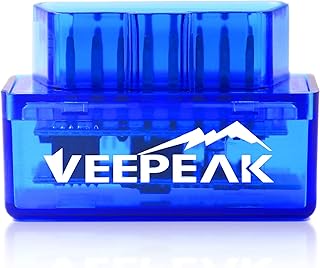
This compact, budget‑friendly scanner targets Android users seeking a small footprint and straightforward diagnostics. It does not support iOS, so choose this if you exclusively use Android devices and want a minimal device for basic readouts. Best for Android‑only users with space constraints.
Who it’s best for: Android owners needing a compact, affordable reader. Why selected: small size, cost efficiency, and reliable Android performance.
Caution: Not compatible with iOS; consider alternatives if you use an iPhone or iPad.
Buying Guide: Choosing the Right OBD II Wireless Transmitter
Key questions to decide the best option for your needs:
- What devices will you use it with? If you own both iPhone and Android devices, prioritize BLE readers with strong cross‑platform app support.
- Which apps do you plan to use? Some scanners work with a wide array of apps, while others are tied to specific ecosystems. Verify app compatibility before purchasing.
- Is cross‑platform compatibility a priority? For mixed device households, consider readers that support iOS, Android, and Windows.
- Do you need real‑time data and advanced troubleshooting? Look for models with live data streams, freeze frames, and DTC support across multiple data channels.
- What is your budget and size preference? There are compact options for mobile use and more capable units for deeper diagnostics; balance price with features.
Connectivity and Compatibility
Bluetooth versions (BLE vs classic) influence range, power consumption, and app support. BLE is common in modern phones and tends to pair quickly. Ensure the scanner supports the car’s protocol and your device’s OS version.
Data Access and Apps
Some scanners expose more data fields or provide broader compatibility with popular diagnostic apps. If you rely on a specific app (Torque, Car Scanner, etc.), confirm it supports the chosen device.
Portability and Power
Compact designs are convenient for on‑the‑go diagnostics. Most devices draw power from the vehicle’s OBD port, requiring no batteries, but check for any power indicators or sleep modes that conserve energy when not in use.
Safety and Reliability
Choose reputed brands with documented support resources and straightforward pairing procedures. Reading DTCs is generally safe for DIY diagnostics, but interpret results carefully and consult a professional for complex issues.
FAQ
- What is an OBD II wireless transmitter?
- Do these devices work with iOS and Android?
- Can I read live data with these tools?
- Are these devices safe to use on a daily basis?
- Is cross‑platform compatibility important?
- Do I need a premium app to get the most out of these readers?
It is a wireless adapter that plugs into a vehicle’s OBD port and transmits diagnostic data to a smartphone, tablet, or computer via Bluetooth or similar wireless protocols.
Many models support both platforms, but some are Android‑only or iOS‑only. Check the product specifications before purchase.
Yes, most BLE readers provide live data streams such as RPM, coolant temperature, and sensor values, depending on the app and vehicle.
Yes, they are designed for regular diagnostics. They do not affect vehicle operation when used as intended.
If you use multiple devices (iOS, Android, Windows), pick a model with broad cross‑platform support to simplify workflows.
Some advanced features may require a paid app or subscription, but core code reading and basic live data are typically available in free versions.